nrm 사용
nrm은 Node.js 패키지 관리자 npm의 미러 관리 도구입니다. 다양한 npm 레지스트리 미러 간에 빠르게 전환할 수 있도록 도와줍니다.
참고: 미러를 전환한 후 설치가 느리거나 실패하는 경우 특정 미러의 문제 때문일 수 있습니다! 필요에 따라 다른 미러로 전환하세요.
nrm 전역 설치
Node.js가 설치되어 있고 npm이 제대로 작동하는지 확인하세요:
bash
npm install nrm -g참고
nvm을 사용하는 경우 Node.js 버전을 전환한 후 nrm을 다시 설치해야 합니다.
일반적인 nrm 명령
bash
# 버전 확인:
nrm -V

# 버전 및 설치 경로 확인:
npm list -g nrm

# 미러 목록 보기:
nrm ls

# 특정 미러로 전환:
nrm use <mirror-name>

# 미러 추가:
nrm add <mirror-name> <mirror-url>
예: nrm add taobao https://registry.npmmirror.com/

# 미러 삭제:
nrm del <mirror-name>
기본 nrm 미러 목록
bash
  npm ---------- https://registry.npmjs.org/
  yarn --------- https://registry.yarnpkg.com/
  tencent ------ https://mirrors.tencent.com/npm/
  cnpm --------- https://r.cnpmjs.org/
* taobao ------- https://registry.npmmirror.com/
  npmMirror ---- https://skimdb.npmjs.com/registry/
  huawei ------- https://repo.huaweicloud.com/repository/npm/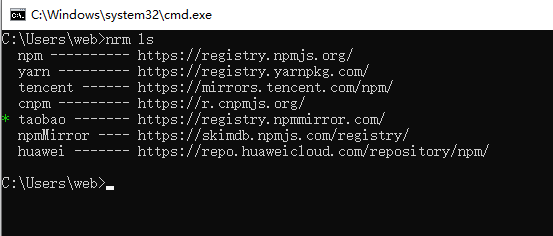
nrm 일반적인 문제
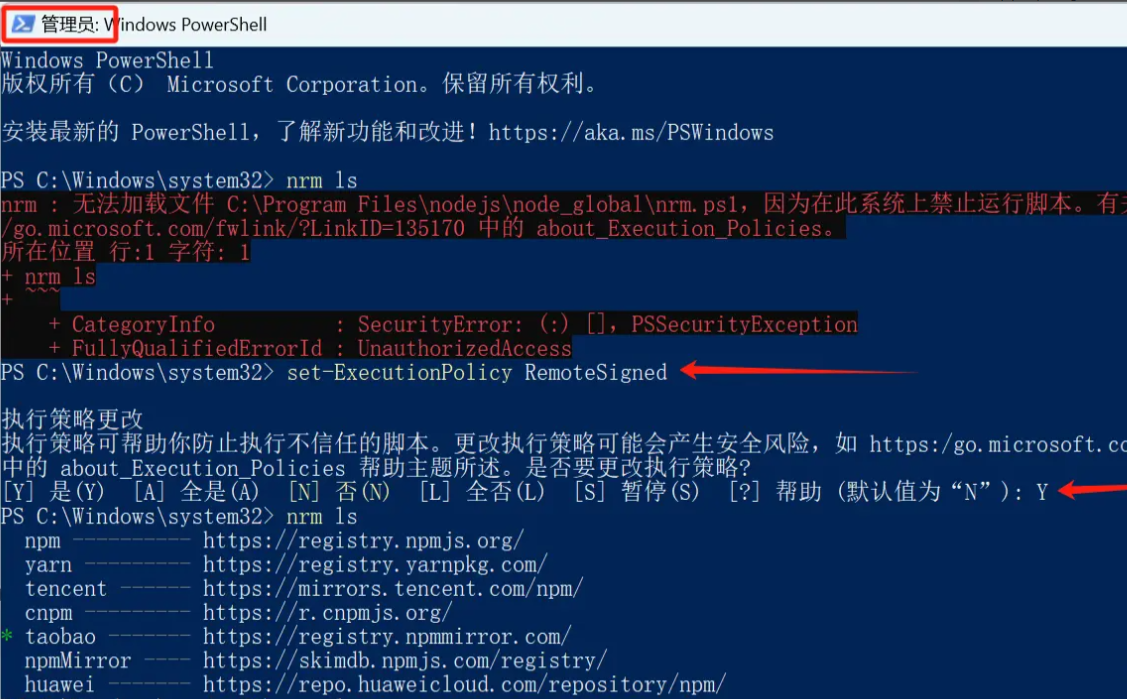
다음과 같은 오류가 발생하는 경우: "Cannot load file C:\Program Files\nodejs\node_global\nrm.ps1, because running scripts is disabled on this system. For more information, see https:/go.microsoft.com/fwlink/?LinkID=135170 about_Execution_Policies."
해결 방법: 관리자 권한으로 cmd를 실행하고 스크립트 실행 정책을 변경합니다
- PowerShell에서
Start-Process powershell -Verb runAs를 실행합니다(관리자 권한으로 cmd 실행) set-ExecutionPolicy RemoteSigned를 실행하고 Y를 입력합니다(신뢰할 수 있는 스크립트 정책 변경)